
To register with swisscovery, please visit https://registration.slsp.ch, read the instructions and click on “Start registration”.
Open an account with an existing Switch edu-ID
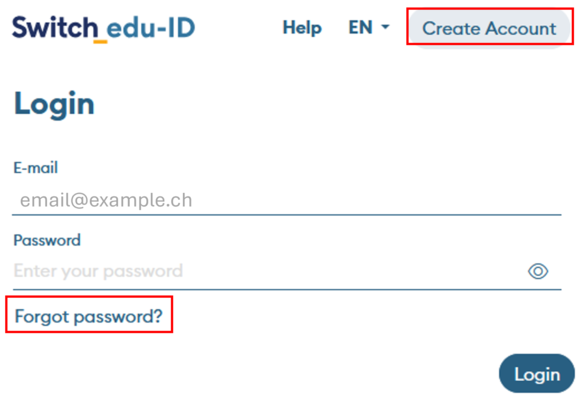
After starting the registration, you will be asked to log in with a Switch edu-ID. If you already have a Switch edu-ID, use these credentials to proceed with the registration. If you don't know your Switch edu-ID password, use the password reset link "Forgot password?" on the login page. If you no longer have access to the email associated with your Switch edu-ID, reach out to eduid-support@switch.ch.
Open an account without an existing Switch edu-ID
If you don't have a Switch edu-ID yet, click on "Create account" on the login page to create a Switch edu-ID. At the end of the Switch edu-ID registration process, you will find a link to complete the swisscovery registration process.
Note: If you are a student at a university, you may have already registered with swisscovery. In this case, a message will appear and you will be forwarded to your university's login page.